
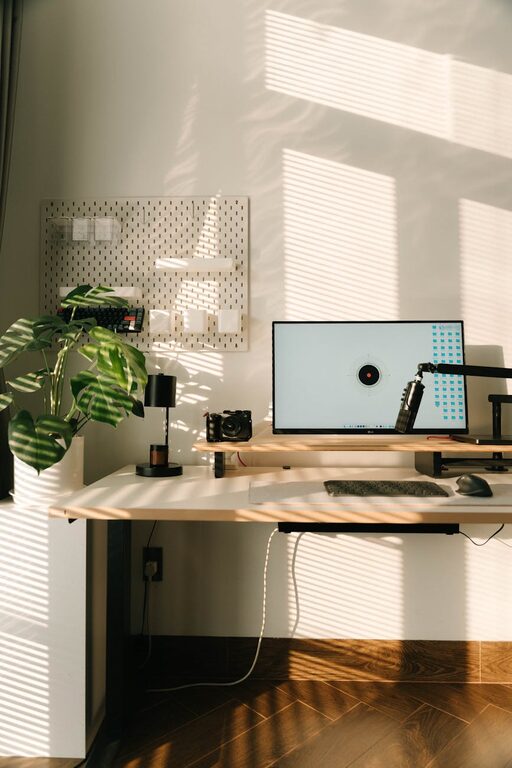
Creating a cozy and functional home workspace is essential in today’s world, where many people work remotely or spend a lot of time on home-based projects. A well-designed workspace can improve your focus, comfort, and overall productivity. Whether you have a dedicated room or just a small corner to set up your office, these tips will help you design a home workspace that feels welcoming and supports your work needs.
Choose the Right Location
Find a Quiet Spot
Start by selecting a quiet area in your home where you can work without frequent interruptions. Ideally, this space should be away from high-traffic zones like the kitchen or living room. Having some distance from distractions can help you maintain concentration for longer periods.
Consider Natural Light
Placing your workspace near a window is a great way to benefit from natural light. Sunlight can boost your mood and reduce eye strain. If you don’t have access to natural light, invest in good quality lighting that mimics daylight.
Invest in Comfortable and Ergonomic Furniture
Select an Ergonomic Chair
Comfort is key when sitting for long hours. Choose a chair that supports your back well and promotes good posture. Adjustable chairs are ideal so you can customize height and tilt to suit your body.
Pick the Right Desk
Your desk should be large enough to hold your essential equipment without feeling cramped. If your space allows, consider a desk with built-in storage to keep supplies organized.
Organize Your Workspace Efficiently
Declutter Regularly
A tidy workspace reduces stress and helps you find things quickly. Keep only what you need on your desk and store other items in drawers or shelves.
Use Organizers and Storage Solutions
Desk organizers, cable managers, and filing systems can keep everything in place. Label containers and folders to make retrieval easy and to maintain order over time.
Personalize Your Space for Comfort and Inspiration
Add Cozy Elements
Incorporate soft textures like a plush rug, cushions, or a cozy throw to make your workspace inviting. A small blanket can also keep you warm without the need to turn up the thermostat.
Include Plants and Artwork
Plants not only enhance aesthetics but can also improve air quality and reduce stress. Simple artwork or inspirational quotes can motivate and brighten your space.
Utilize Technology Wisely
Ensure Proper Equipment
Use a reliable computer or laptop, good-quality headphones, and a mouse and keyboard that suit your working style. A monitor at eye level can reduce neck strain.
Manage Cables and Gadgets
Keep cables neat with clips and ties to avoid tangles. Consider wireless devices to reduce clutter further.
Establish a Routine and Boundaries
Set Work Hours
Even at home, it’s important to have a clear start and end time for your work. This separation helps maintain a healthy work-life balance.
Take Breaks and Stretch
Use your workspace to remember to take regular breaks. Stretch or step outside briefly to refresh your mind and body.
Improve Air Quality and Comfort
Ventilate the Room
Fresh air is essential for concentration and well-being. Open windows regularly or use an air purifier to increase airflow and reduce airborne pollutants.
Control Temperature
Maintain a comfortable room temperature with fans or heaters as needed. Avoid placing your desk near drafts or heating vents to prevent discomfort.
Make It Multi-Functional if Needed
If your home workspace also serves other purposes, like a guest room or hobby area, choose versatile furniture. A foldable desk or a storage bench can help keep the space adaptable and clutter-free.
—
Creating a cozy and functional home workspace is about balancing comfort, efficiency, and personal style. By following these tips, you can design a space that supports your productivity while making your workday more enjoyable. Remember, a well-planned workspace not only helps you work better but can also positively impact your well-being.